Save engineering time
Eliminate repetitive ERP data entry. Put engineering time back into designing products.
Engineering Integration Platform
xSync connects engineering and ERP systems and automates the flow of product data, BOMs and documents — so engineers can stay focused on designing products.
Less administration. More engineering.
Connecting engineering
with enterprise
Product information already exists in engineering. Why enter it again?
Manual transfer of materials, BOMs and documents takes valuable engineering time, interrupts the design process and creates opportunities for errors.
xSync removes repetitive ERP work from the engineering process.
Enter once. Use everywhere.
Eliminate repetitive ERP data entry. Put engineering time back into designing products.
Validate information before synchronization and show users what needs attention.
Keep engineering and manufacturing aligned with synchronized product data, BOMs, documents and changes.
From engineering data to ERP feedback.
Engineering CAD / PDM
Integration
ERP Enterprise
ERP feedback returns to engineeringERP identifiers, synchronization results and relevant information.
Product data is created where it belongs: in your engineering environment.
xSync checks the required information before synchronization.
Product data, BOMs, documents and changes are exchanged with ERP.
ERP results and relevant information are returned to engineering.
Your process. Your rules. Configure field mapping, validations, transferred fields and business rules around your engineering-to-ERP process.
Engineers shouldn’t have to troubleshoot integrations.
When synchronization needs attention, xSync provides clear feedback so users can identify the relevant data, correct it and continue working — without searching through technical logs.
Fix the data. Not the integration.
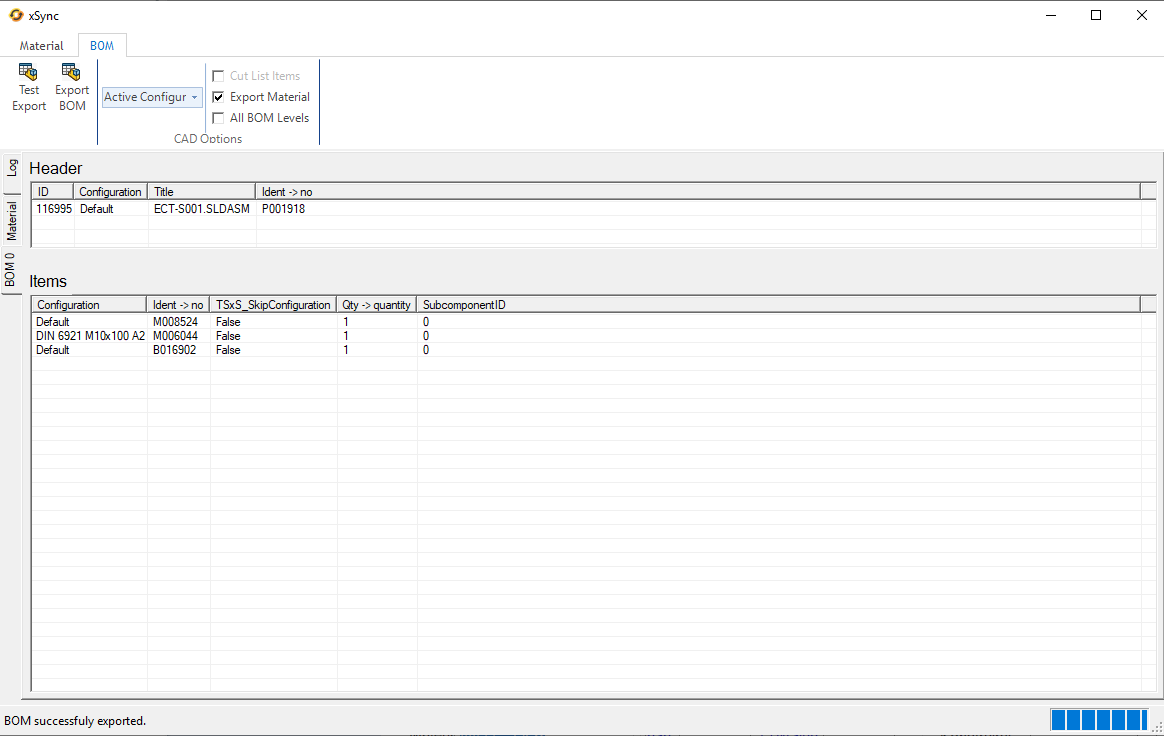
A completed BOM export, with its result shown directly in xSync.
The data engineering creates.
The information manufacturing needs.
Product information from engineering to ERP.
Engineering product structures, connected to manufacturing.
Documents exchanged alongside product data.
Keep product changes aligned between systems.
Synchronization results returned to engineering.
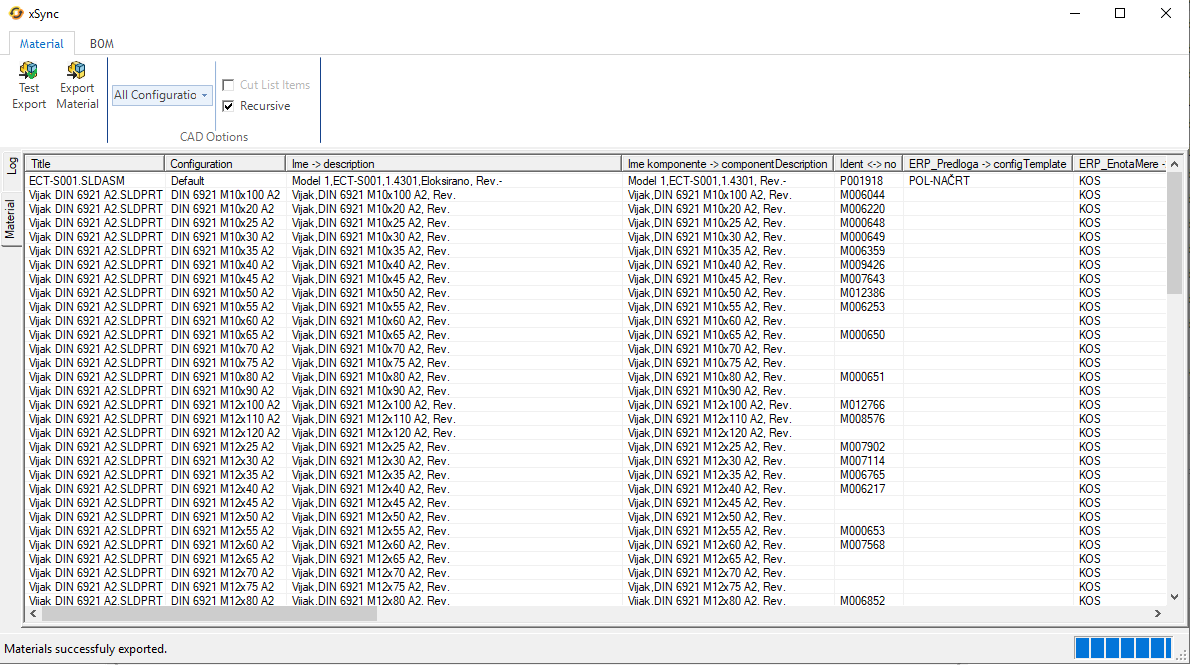
Materials and their ERP identifiers, with the export result shown in xSync.
xSync is a configurable integration layer that connects engineering with enterprise.
Built on the platform. Connected to your environment.
Powered by xSync
A proven xSync solution for SOLIDWORKS PDM and SAP.
Powered by xSync
A proven xSync solution for SOLIDWORKS PDM and Microsoft Dynamics 365 Business Central.
Keep ERP expertise with the people who already know your system.
For other ERP systems that provide suitable web services or APIs, xSync can provide an interface for exchanging product data, BOMs, documents and synchronization results.
Your existing ERP partner implements the ERP side of the integration, while xSync takes care of the engineering side.
Engineering data, mapping, validation, configurable business rules and synchronization feedback.
ERP endpoint, ERP-specific business logic, transactions and results.
Show us how product information moves between engineering and ERP. We’ll explore where xSync can simplify your process.